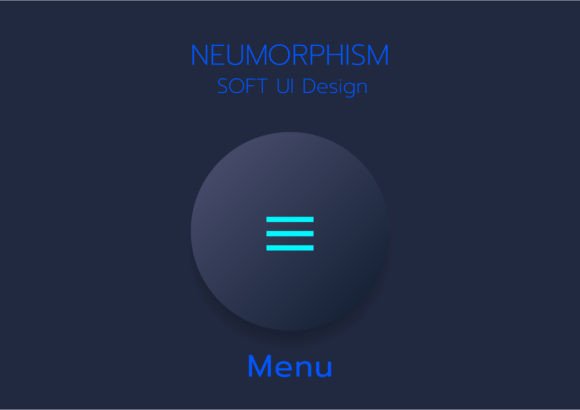
Mastering 3D Neumorphic Soft UI Design
The digital landscape is constantly shifting, moving from the flat, minimalist aesthetics of the early 2010s to more tactile, depth-oriented interfaces. At the forefront of this evolution is 3D Neumorphic Soft UI Design. This style, often characterized by its soft, extruded plastic look, creates an illusion where elements appear to be pushed out from or pressed into the background. For designers and developers, understanding how to implement 3D buttons and neumorphic user interface elements is no longer just a trend-chasing exercise; it is a valuable skill for creating engaging, modern mobile app UI design kits.
Whether you are building a dashboard for a SaaS platform or designing a consumer-facing mobile application, the choice of visual style impacts usability and brand perception. A comprehensive vector set containing buttons, bars, and sliders in neumorphism style offers a shortcut to high-quality production. However, the real value lies in knowing when and how to apply these minimal components effectively across different projects.
Understanding the Neumorphic Aesthetic
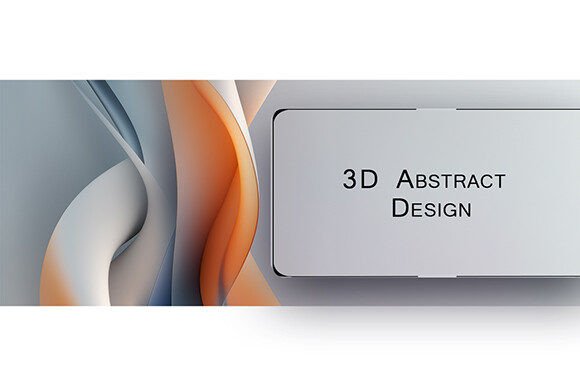
Neumorphism, a portmanteau of "new" and "skeuomorphism," bridges the gap between flat design and realistic textures. Unlike traditional skeuomorphism, which mimics real-world materials like leather or wood, neumorphism relies on subtle light and shadow play. The core principle is that the UI element shares the same color as the background, distinguished only by highlights and shadows. This creates a soft, monochromatic look that feels gentle on the eyes.
When working with 3D buttons in this style, the challenge is maintaining accessibility. Because contrast is low, designers must carefully balance light sources. A typical setup involves a top-left light source, casting a white highlight on the top-left edge and a dark shadow on the bottom-right. This technique gives the interface a tangible, physical presence without the visual clutter of heavy borders or gradients. For those utilizing a mobile app UI design kit, these pre-built assets ensure consistency, allowing teams to focus on functionality rather than reinventing the wheel for every state change.
Why Different Audiences Prioritize Soft UI
The appeal of 3D Neumorphic Soft UI Design varies significantly depending on who is using it. A freelancer might value it for its novelty and marketability, while a corporate enterprise might prioritize its clean, modern feel for internal dashboards. Understanding these differing perspectives helps in selecting the right tools and approaches.
For Beginners and Hobbyists
If you are new to interface design, starting with a pre-made vector set can be overwhelming if you do not understand the underlying principles. However, studying 3D buttons and sliders in neumorphism style provides an excellent learning opportunity. Beginners can deconstruct these elements to understand how light interacts with shape. The primary priority here is learning value. By manipulating existing EPS files, hobbyists can see how adjusting blur radius or opacity changes the perceived depth. This hands-on approach accelerates the learning curve compared to starting from a blank canvas.
For Professional Designers and Creators
Experienced designers often face tight deadlines. For them, a high-quality mobile app UI design kit is about speed and flexibility. They need components that are easily customizable. Vector formats like EPS are crucial here because they allow for infinite scaling without quality loss. Professionals evaluate these kits based on layer organization and component variety. Can the menu components be easily rearranged? Are the states (hover, active, disabled) clearly defined? For creators, the ability to tweak minimal components quickly means they can prototype faster and iterate on user feedback without getting bogged down in pixel-pushing.
For Entrepreneurs and Small Business Owners
Business owners are less concerned with the technical intricacies of drop shadows and more focused on commercial value and brand differentiation. In a crowded market, a unique UI can set an app apart. Neumorphism offers a premium, sophisticated look that can elevate a brand’s perceived value. However, entrepreneurs must also consider usability. If the soft UI compromises readability or touch targets, it could hurt conversion rates. Therefore, business owners should look for design kits that balance aesthetic appeal with functional clarity, ensuring that the beautiful 3D buttons are also intuitive to use.
Practical Applications Across Platforms
The versatility of 3D Neumorphic Soft UI Design allows it to be applied in various contexts. Here is how different users can leverage these elements effectively.
- Mobile Applications: Touch interfaces benefit from the tactile feel of neumorphic elements. Sliders and toggle switches that look physically pressable provide better feedback to users. A well-designed kit ensures that these elements are sized correctly for finger taps, enhancing the overall user experience.
- Web Dashboards: Data-heavy interfaces can feel sterile. Adding soft UI elements like cards and progress bars can warm up the design, making complex data feel more approachable. The monochromatic nature of neumorphism helps reduce visual noise, allowing users to focus on the information rather than the container.
- Marketing Landing Pages: For bloggers and marketers, standing out is key. Using 3D buttons for call-to-action sections can draw attention without being aggressive. The subtle depth guides the eye naturally, improving click-through rates.
Evaluating Quality and Format
When selecting a design resource, the file format matters. EPS and JPEG formats serve different purposes. EPS files are vector-based, meaning they are ideal for editing and scaling. They allow designers to change colors, sizes, and shapes without losing quality. This is essential for creating a cohesive design system. On the other hand, JPEGs are raster images, useful for quick previews or when embedding assets into presentations where editing is not required. A comprehensive kit should offer both, providing flexibility for different stages of the design process.
Quality assessment goes beyond file types. Look for consistent lighting logic across all components. If the shadows on the buttons do not match the shadows on the input fields, the interface will feel disjointed. Additionally, check for variety. A good kit includes not just standard buttons, but also specialized elements like search bars, notification badges, and navigation menus. This breadth ensures that you can build complete screens without needing to mix and match incompatible styles.
Making the Right Choice for Your Project
Deciding whether to adopt 3D Neumorphic Soft UI Design depends on your specific goals. If your priority is maximum accessibility and high contrast, traditional flat or material design might be safer. However, if you aim for a modern, sleek aesthetic that engages users through subtle interactivity, neumorphism is a strong contender.
Consider your audience’s tech-savviness. Younger users accustomed to modern apps may appreciate the novelty, while older demographics might prefer clearer visual cues. Test your designs with real users to ensure that the soft UI does not hinder navigation. Remember, the goal is not just to look good, but to function well.
Ultimately, 3D buttons and neumorphic elements are tools in your design arsenal. Like any tool, their effectiveness depends on how skillfully they are used. By understanding the principles behind the style and choosing high-quality resources, you can create interfaces that are not only visually stunning but also user-friendly and effective. Whether you are a freelancer looking to impress a client or a developer building the next big app, mastering this style can add significant value to your work.